Apex AI setup
PC version. A few quick settings and you are ready to play.
Note: Apex-AI only works with RECON characters while aiming down sights
1
Set your game to Borderless Window
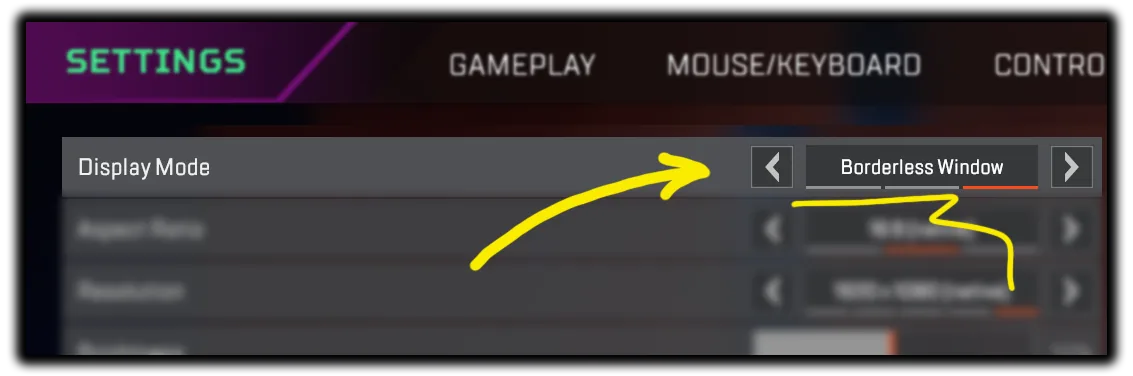
2
Set your game and Apex-AI to the same resolution
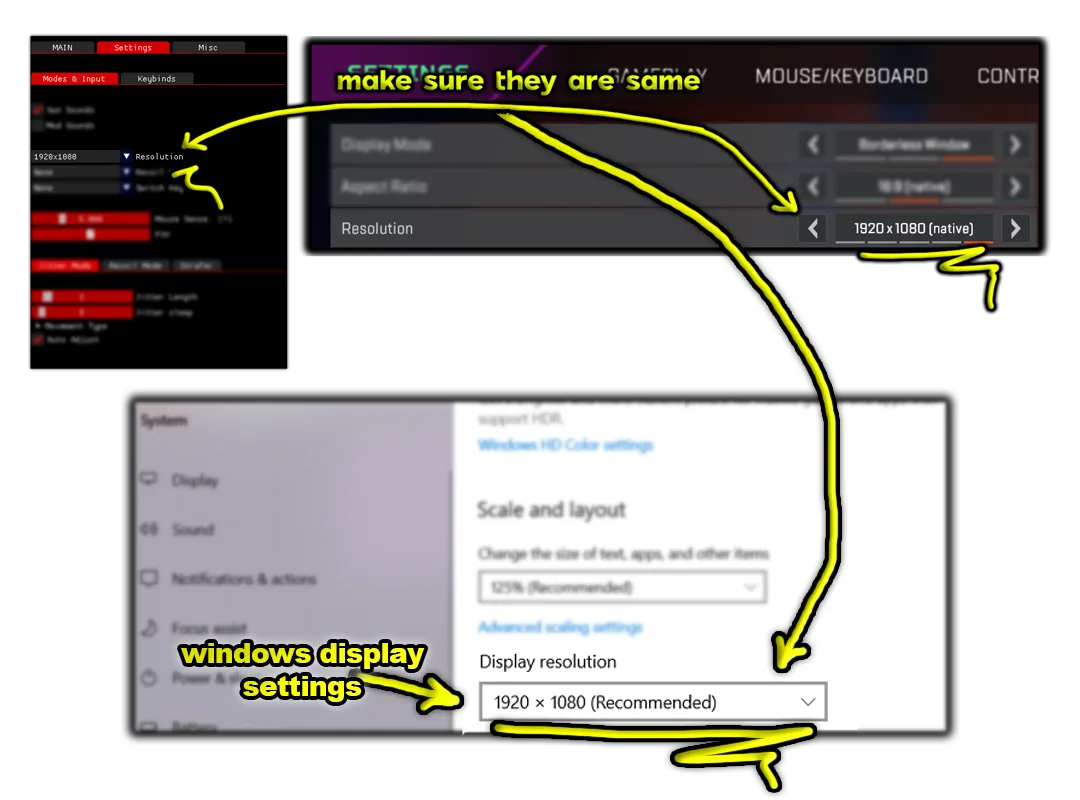
3
Set your in-game Aim-Down-Sight to HOLD
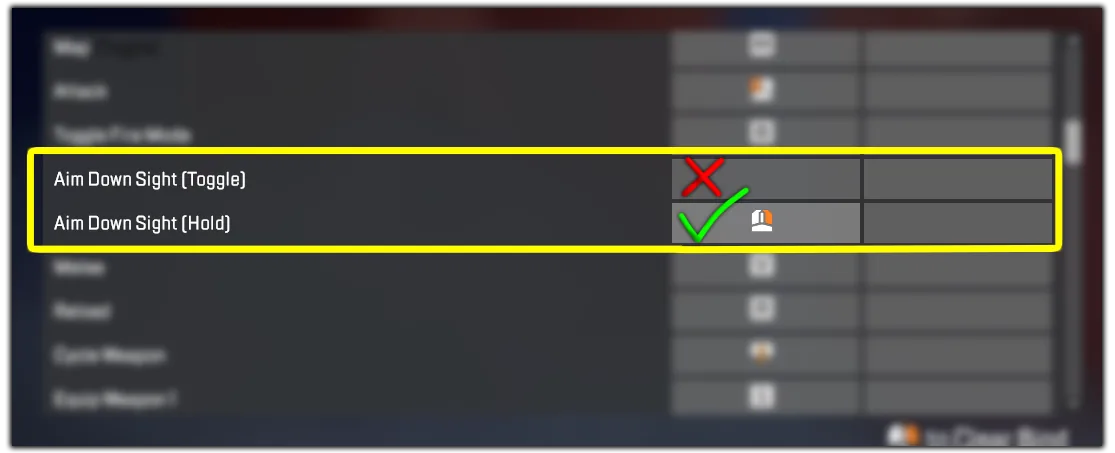
4
Input your in-game Sensitivity to Apex-AI
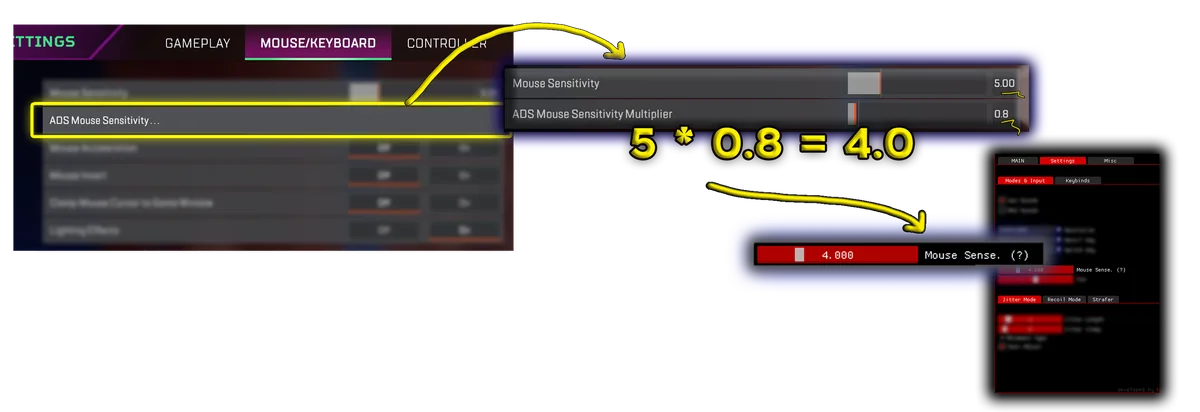
5
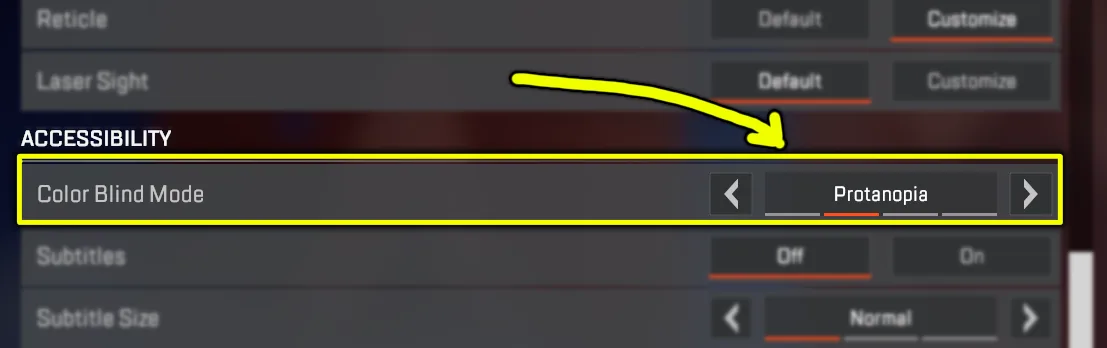
Set Colorblind Mode to Protanopia
Note: If you have 2 monitors, Script might pick up the Wrong one.
If your Script doesn't Auto-Detect guns:
Either unplug one monitor that you are not playing the game on
Or switch/change monitor order from windows setting.
Note: If the application gives this error:
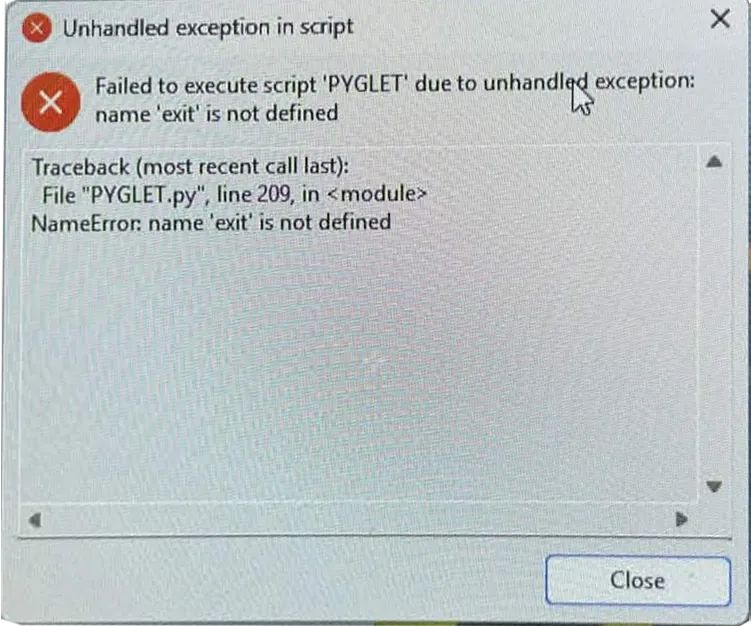
Try using a VPN
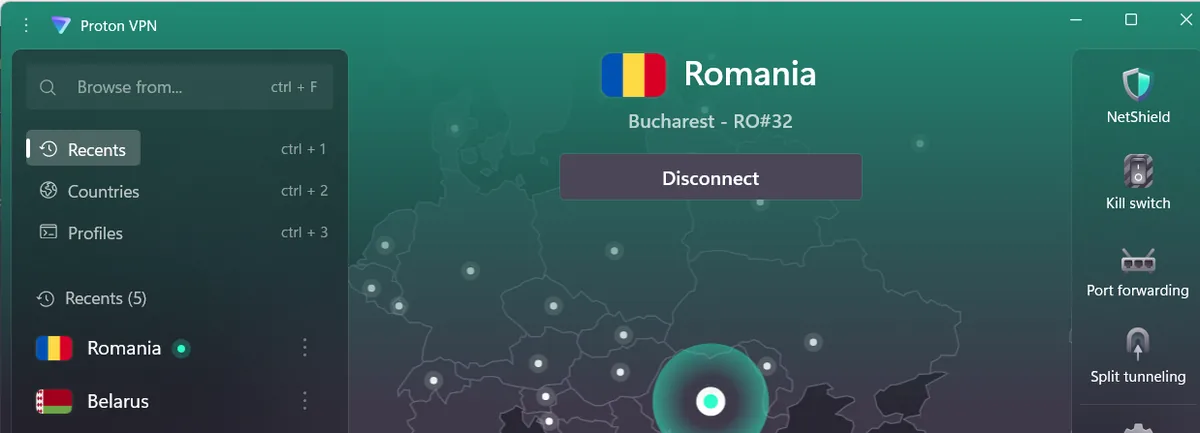
Free working VPN: https://protonvpn.com
Some servers work some doesn't. If it doesn't work: Connect to another country in the VPN. Romania Server works good
Note: If you have FACE-IT Anti-Cheat or Valorant Vanguard installed, uninstall them they will prevent the application from working properly. Just like this!:
Video Tutorials
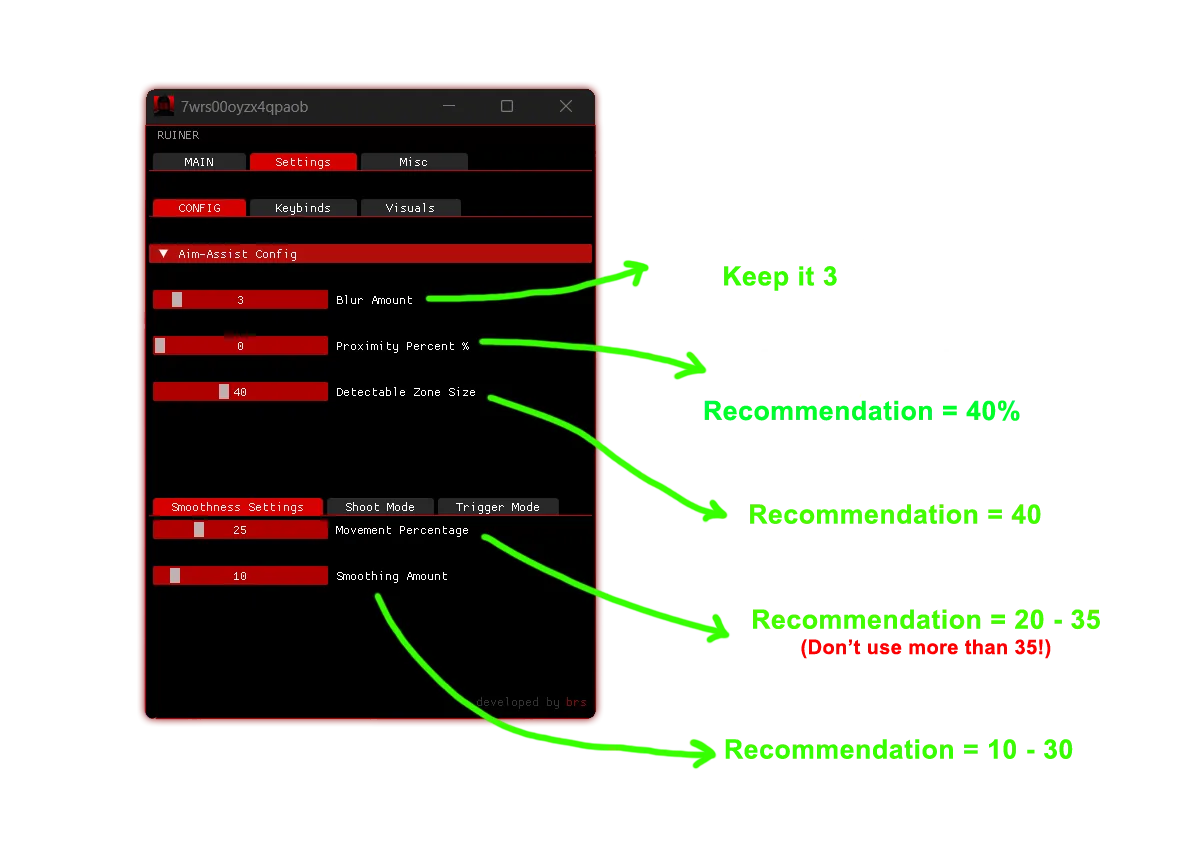
APEX AI: Good Config
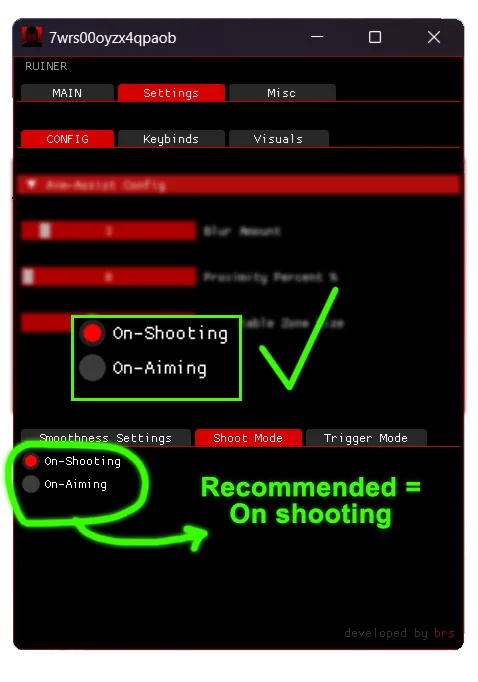
If you need help with anything, We would Love to help you out Just Join our Discord Server and open a Support Ticket.